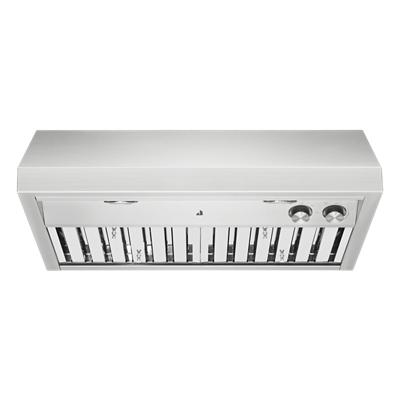
Excessive noise from a JennAir ventilation hood can have several causes, from loose components to ductwork issues. Learn how to diagnose and quiet your hood.
Understanding Ventilation Hood Noise Levels
JennAir ventilation hoods — including wall mount, island, perimeter, and downdraft models — produce some noise at all fan speeds. This is normal. JennAir rates their hoods in sones: the lower the sone rating, the quieter the hood. At low speed, most JennAir hoods operate between 1 and 3 sones (comparable to a quiet conversation). At maximum speed, noise can reach 6 to 8 sones. If your hood is suddenly louder than usual, or produces rattling, vibrating, or whistling sounds, something needs attention.
Rattling or Vibrating Noise
- Loose grease filters — this is the most common cause of rattling. Remove the filters and reseat them, making sure they click or snap securely into their rails. Worn filter clips may need replacement.
- Loose hood mounting — wall mount and island hoods are held by brackets and screws. Over time, vibration can loosen the mounting hardware. Tighten all visible screws and check the mounting bracket behind the hood.
- Loose duct connection — the joint between the hood exhaust port and the ductwork can loosen. Access the duct connection (usually above the hood or inside the cabinet above) and tighten the clamp or re-secure the duct tape/mastic seal.
- Foreign object in the blower — a loose screw, piece of broken filter, or accumulated grease chunk can contact the fan blade. Turn off the hood, remove the filters, and look into the blower area with a flashlight. Remove any visible debris.
Whistling or Howling Noise
A whistling sound usually indicates an airflow restriction:
- Undersized ductwork — JennAir hoods require specific duct diameters (typically 6 to 10 inches) depending on the CFM rating. Using a duct adapter that reduces the diameter creates a bottleneck and whistling noise.
- Too many elbows — each 90-degree turn in the ductwork adds resistance. JennAir recommends limiting the duct run to no more than two 90-degree elbows and keeping total duct length under 30 feet.
- Damper flap vibration — the backdraft damper at the exterior termination can vibrate in the airstream. Ensure the damper is clean and swings freely. A damaged damper should be replaced.
Grinding or Scraping Noise
This is typically a fan motor or fan blade issue:
- Fan blade contact — the blower wheel or fan blade may be contacting the housing due to a loose set screw or a bent blade. Turn off the hood and try spinning the fan by hand (through the filter opening). It should rotate smoothly without contact.
- Worn motor bearings — over time, the fan motor bearings wear and produce a grinding sound that gets louder as the bearings deteriorate. Motor replacement is the solution.
Reducing Normal Operational Noise
- Use the lowest effective fan speed — noise increases significantly at higher speeds
- Ensure the ductwork is properly sized and has minimal turns
- Use rigid metal ductwork instead of flexible duct, which creates turbulence and noise
- Consider a remote/in-line blower if your JennAir hood supports it — placing the motor farther from the kitchen significantly reduces noise