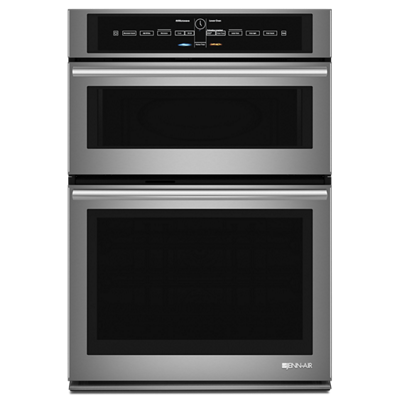
JennAir wall ovens feature V2 vertical dual-fan convection for even cooking. If results are uneven or the fan is not operating, this guide covers diagnosis and fixes.
What Is V2 Vertical Dual-Fan Convection?
JennAir’s V2 convection system uses two fans stacked vertically on the back wall of the oven cavity. Each fan has its own heating element, creating two independent zones of circulating hot air. This design is intended to deliver consistent temperatures across all rack positions so you can bake on multiple racks simultaneously without rotating pans. When the system is working properly, items on the top rack and bottom rack should brown and cook at the same rate.
Symptom: Uneven Cooking Despite Convection Mode
If food is browning more on one side or one rack cooks faster than the other:
- Obstructed fans — check that nothing is touching or positioned too close to the back wall. Large baking sheets that cover the entire rack surface can block airflow from reaching the fans. Leave at least one inch of clearance around all sides of your pans.
- Overcrowded oven — loading too many pans at once restricts air circulation. Stagger pans so they are not directly above each other.
- One fan not running — open the oven door, then close it and listen carefully. You should hear both fans operating. If only one fan runs or one is noticeably quieter, that fan motor or its heating element may have failed.
- Incorrect mode — ensure you have selected “Convection Bake” or “Convection Roast” rather than standard “Bake.” In standard bake mode, the convection fans do not engage.
Symptom: Fan Making Unusual Noise
A rattling, scraping, or buzzing sound from the back of the oven during convection operation can indicate:
- Loose fan blade — the fan blade may have come loose on its shaft. This requires removing the back panel inside the oven (a technician-level repair) to re-secure or replace the blade.
- Fan motor bearing wear — over time, the motor bearings can wear and produce a grinding noise. The motor will need to be replaced.
- Foreign object — during self-clean cycles, food particles can fall behind the back panel and contact the fan. If you hear scraping after a self-clean cycle, this is a likely cause.
Symptom: Convection Fan Does Not Turn On
- Verify you are in a convection mode (Convection Bake, Convection Roast, or Convection Broil).
- Check that the oven is reaching temperature — the fans typically start once the oven is preheating, not immediately when the mode is selected.
- If the oven heats but the fans never engage, the fan motor or the relay on the control board that powers the motor may have failed.
- If neither heating elements nor fans operate, the issue is likely with the control board or a blown thermal fuse. Check the thermal fuse first — it is located near the top of the oven frame and can be tested for continuity with a multimeter.
When to Call a Technician
The convection fan motors and their heating elements are located behind the oven’s rear panel, which is secured with screws and wiring. Accessing these components requires partial disassembly of the oven cavity and work around live wiring. Unless you are experienced with appliance repair and have a multimeter, this is best left to a certified JennAir service technician.