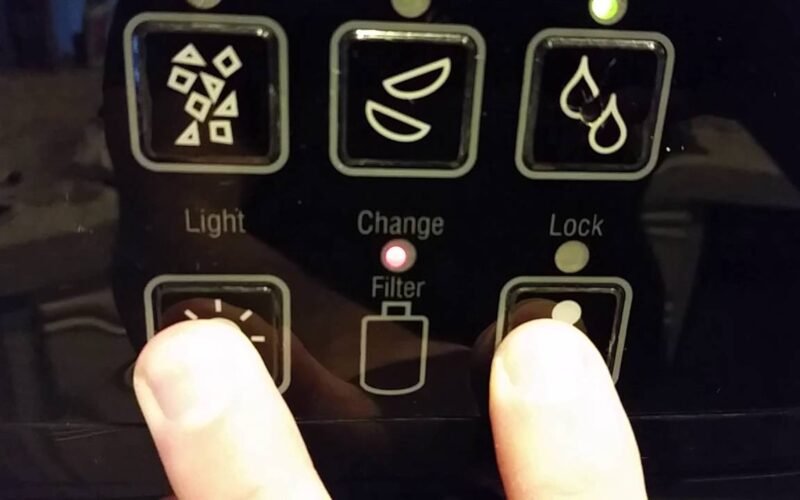
After replacing the water filter in your JennAir built-in or column refrigerator, you need to reset the filter status indicator. This guide covers the exact steps for all current JennAir models.
Why the Filter Indicator Stays On After Replacement
JennAir column refrigerators and built-in models track water filter usage based on gallons dispensed, not a simple timer. When you install a new filter, the refrigerator has no way of knowing it is fresh unless you manually reset the counter. Until you do, the indicator light will remain on — usually amber or red — and the display may read “Replace Filter.”
Before You Begin
- Make sure you have installed a genuine JennAir or EveryDrop water filter rated for your model
- Run approximately two gallons of water through the new filter to flush carbon residue before resetting
- Have your model number handy — it is printed on the inside wall of the refrigerator column, typically near the top
Reset Procedure for JennAir Column Models (JBREFR Series)
- Open the refrigerator door to access the interior control panel or touch display.
- Locate the “Filter” or “Water Filter” button on the control panel. On models with the LCD display, navigate to Settings and then Water Filter.
- Press and hold the “Filter” button for three seconds. On LCD models, tap “Reset Filter” and confirm.
- The indicator light will turn off or change from red/amber back to green. On the display, the filter status bar will return to full.
- Close the door and dispense a small amount of water to verify the system registers normally.
Reset Procedure for Built-In Side-by-Side Models
- Locate the filter status button on the dispenser control panel on the exterior of the refrigerator door.
- Press and hold the “Water Filter” button for approximately three seconds until the indicator resets.
- If your model has a “Max Cool” and “Max Ice” button but no dedicated filter button, press both simultaneously and hold for three seconds.
The Indicator Still Won’t Reset
If the light remains on after following the steps above, try these troubleshooting measures:
- Power cycle the refrigerator — unplug it for 60 seconds, plug it back in, then repeat the reset procedure
- Check the filter seat — remove the filter and reinstall it, making sure it clicks or locks into position. A filter that is not fully seated can prevent the sensor from registering the change.
- Verify you are using the correct filter — aftermarket filters may not trigger the sensor correctly. JennAir recommends EveryDrop filters matched to your specific model.
- Control board issue — if none of the above works, the main control board may need to be reset or replaced. Contact a certified technician.
How Often to Replace the Filter
JennAir recommends replacing the water filter every six months or after approximately 200 gallons of dispensed water, whichever comes first. Households with heavy water or ice usage may need to replace it sooner. A noticeable drop in water flow from the dispenser is another sign the filter is due for replacement.