
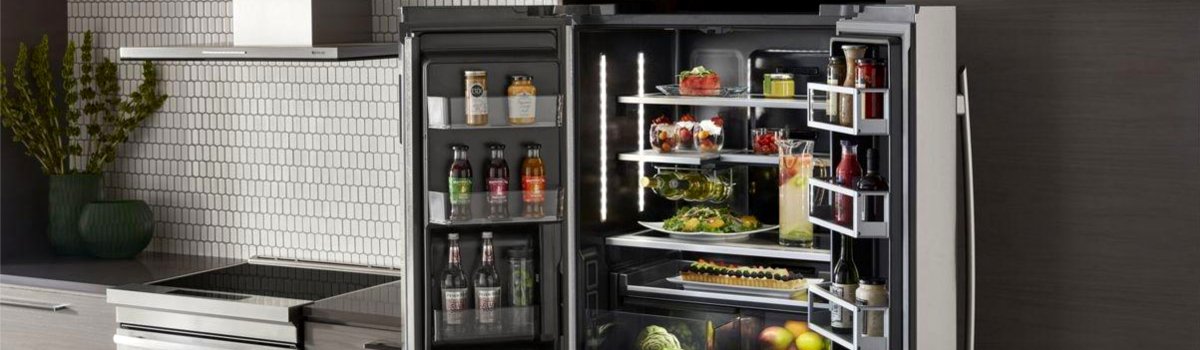
Short version: CL on a Jenn-Air refrigerator means Control Lock (Child Lock) is turned on. It’s a safety feature—not a failure. When Control Lock is active, some or all buttons won’t respond and certain features are disabled to prevent accidental changes.
What “CL” Really Means (and how it shows up)
When Control Lock is enabled, your fridge keeps running at the last saved temperatures, but the controls ignore button presses. You may see a padlock icon, “CL,” or “Control Locked” on the display. Lights and cooling still work; you just can’t change settings until you unlock it.
Typical signs:
- Buttons beep but nothing changes (temps, modes, ice/water).
- A padlock icon or “CL” appears on the panel.
- The water/ice dispenser doesn’t respond (if your model locks it too).
Quick Fix (TL;DR)
Most Jenn-Air models unlock when you press and hold the “Lock” (or “Control Lock”) button for 3–5 seconds.
No dedicated Lock button? Look for a small padlock icon over a key like “Light,” “Filter,” “Options,” or “Measure Fill”—that’s usually the one to hold.
Step-by-Step: How to Clear CL
- Find the control lock label.
Scan the control panel for “Lock,” “Control Lock,” or a padlock icon above/beside a button. - Press and hold for 3–5 seconds.
You should hear a tone or see the icon disappear. If nothing happens, keep holding up to 10 seconds. - No obvious Lock key?
- Try Options → select Lock (on some touch screens).
- Try holding Light, Filter, or Measure Fill for 3–5 seconds if a padlock is printed near them.
- Still locked?
Power-cycle once: turn the unit off at the breaker for 5 minutes, restore power, then repeat Step 2.
(Don’t do repeated rapid resets—one clean reset is enough.) - Check for “Sabbath” or “Demo” modes.
Rare, but these modes can mimic a “locked” feel. If your UI references Sabbath or Showroom/Demo, follow the on-screen steps to exit, then unlock.
Why CL Happens (and when it’s not an error)
Control Lock is intentional—it helps prevent kids or cleaning crews from changing temps, starting dispensing, or toggling modes. It’s often activated accidentally during cleaning when someone wipes and long-presses the Lock key.
Good news: CL does not mean the fridge has a fault. Cooling continues with the last set temperatures.
DIY Troubleshooting if CL Keeps Coming Back
A single unlock should stick. If CL re-activates by itself or the panel won’t unlock:
- Look for stuck/dirty buttons.
Wipe the panel with a slightly damp microfiber cloth, then dry fully. Grease or cleaner residue can trick capacitive keys. - Inspect the dispenser pad/lever (on dispenser models).
A misaligned or stuck lever can confuse the UI. Make sure it moves freely and returns. - Confirm no cleaning magnets/covers are touching the panel.
Covers or strong magnets can interfere with capacitive touch fields. - Do one clean reset.
Breaker off 5 minutes, back on, then hold the Lock key 3–5 seconds.
If the control still won’t unlock, you may have a faulty UI keypad, wiring harness issue, or main control problem. That’s rare for CL, but it can happen after liquid ingress or impact.
Prevention: Keep CL from Surprising You Again
- Wipe—don’t soak—the panel.
Spray cleaner on the cloth, not directly on the controls. - Avoid long presses during cleanup.
A firm, quick wipe prevents accidental lock toggles. - Teach the household shortcut.
Show everyone the 3–5 second unlock hold so you don’t get midnight “the fridge is broken” texts. - Use Lock intentionally.
If you have curious kids or frequent guests, enable Control Lock before a party and disable it when you’re done.
FAQ
Does CL stop cooling?
No. The refrigerator keeps cooling with the last saved settings. CL only disables control changes.
My dispenser won’t work—does CL affect it?
On many models, yes. Control Lock can disable dispensing. Unlock and test again.
I can’t find the Lock button at all. What now?
Check the user guide for your exact model. If you’re still stuck, use the breaker reset and try holding “Options,” “Light,” “Filter,” or “Measure Fill” for 3–5 seconds—look for a small padlock icon near the candidate key.
When to Call a Pro
If the panel stays locked after the steps above, re-locks immediately, or buttons feel “ghost-pressed” without touching them, a pro should check the UI/control and ribbon cables for moisture or damage.