
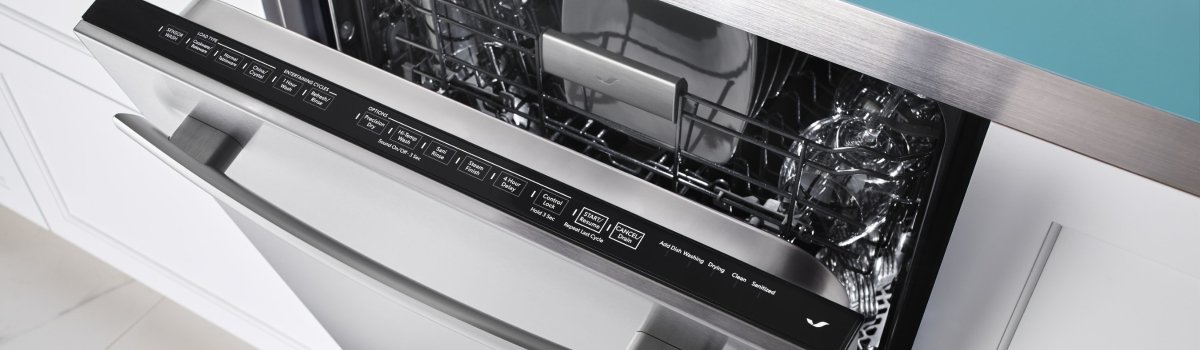
When your dishwasher flashes Jenn-Air Error Code FO, it’s flagging a soil sensor (turbidity sensor) problem. That sensor reads how dirty the wash water is and tells the control when to extend, shorten, or intensify a cycle. If it can’t “see” correctly—because the lens is filmed over, wiring is loose, or the sensor itself has failed—cycles run oddly, dishes emerge cloudy, and FO appears.
Quick takeaways:
- FO = soil/turbidity sensor not reading reliably
- Most common root causes: film on the sensor lens, wiring/connector issues, or a failed sensor
- Start with safe resets and cleaning before replacing parts
What this fault actually means
Inside the sump, the soil sensor shines light through the water and measures what bounces back. Clear water = clean; murky water = dirty. Error FO tells you the control isn’t getting a believable reading. Sometimes it’s a real hardware fault; just as often it’s grease film, detergent residue, or mineral scale on the sensor window giving nonsense data.
Typical symptoms you’ll notice
- Cycles that run much longer or shorter than normal
- Gritty or cloudy dishes, especially on the top rack
- FO reappearing after a power reset
- Occasional “stuck at 1 minute” behavior near the end of a cycle
Likely causes (in plain English)
A soil sensor lives in a tough neighborhood: hot water, detergent, food particles. Over time, biofilm and hardness scale cloud the lens. A slightly mis-seated connector or a pinched wire can also scramble the signal. And yes, sensors can simply fail—less common, but it happens.
Safe first steps (before you grab tools)
Unplug the dishwasher or switch off the breaker. Give it 5 minutes to discharge. Restoring power clears transient glitches and tells you whether FO is a fluke or a persistent fault.
DIY fixes you can try
- Clean the filters and sump area
Remove the lower rack. Take out the coarse and fine filters; rinse them under warm water with a soft brush. Look into the sump: remove food bits, glass, or labels that might block flow across the sensor. - De-film the soil sensor window
Locate the small round “eye” (often a clear plastic window on the side of the sump housing). Wipe gently with a microfiber cloth and warm, mildly soapy water. If you see white mineral scale, soak a cloth in warm water + a splash of white vinegar and hold it on the lens for a few minutes, then wipe clean. Don’t scratch the window. - Rinse aid, detergent, and load check
Use fresh detergent (old powder clumps and films), turn rinse aid on, and avoid nesting bowls or blocking the spray arm’s path. Overloading can trap debris that makes the water look “dirty” to the sensor. - Hot-water start
Run the kitchen sink hot for 30–60 seconds before starting a cycle so the dishwasher fills with 120°F (≈49°C) water. Colder fills leave residue and confuse drying/soil readings. - Connector reseat (basic visual)
With power off, access the kick panel/toe-kick. If you can see the harness leading to the sensor connector at the sump, confirm it’s fully seated and not tugged tight or chafed on sharp metal. Don’t pull hard; just ensure a snug fit. - Test with a Normal/Auto cycle
Restore power and run a standard cycle. If FO doesn’t return and cleaning improves, you likely had a lens-film problem. If the error reappears, move to professional diagnosis.
When it’s time to call a pro
If FO returns after a full clean and reset, you’re likely looking at sensor replacement or a wiring/control issue. A technician will meter the sensor signal, check harness continuity under vibration, inspect the control input, and fit the correct OEM part so cycle logic works like new.
Practical prevention that actually works
Keep the sensor from getting filmed up and you’ll almost never see FO again. Regular care beats repairs.
- Rinse big scraps (not a full pre-wash) so labels, pits, and seeds don’t lodge in the sump
- Clean filters weekly if you run daily; monthly if you run a few times a week
- Use the right detergent dose for your water hardness; too much causes residue, too little leaves soil
- Run a monthly cleaner (dishwasher machine cleaner) to de-film lines, jets, and the sensor lens
- Verify water temp at the sink (aim for ~120°F) and keep rinse aid topped up
Prefer to skip the trial-and-error? Our factory-certified technicians handle Jenn-Air daily and carry OEM parts for fast fixes.