
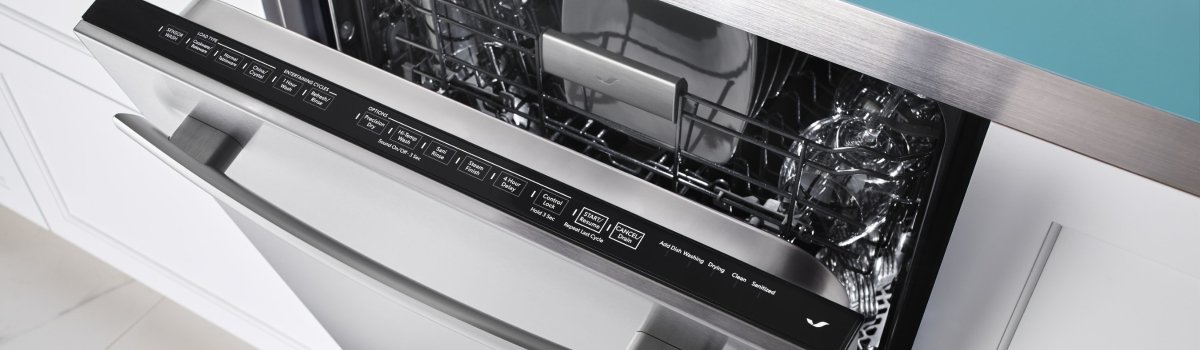
When a Jenn-Air dishwasher flashes Error Code FC, it’s flagging a communication failure—the main control board isn’t reliably talking to the user interface (UI) panel or another module (door latch board, motor controller, etc.). Think of it like a dropped Wi-Fi call inside the machine: power is present, but signals aren’t getting through cleanly. The good news? Many FC cases are caused by loose connectors, oxidation, or moisture—things a careful owner can check before calling for service.
What FC Looks Like in Real Life
You might notice one or more of these:
- The display lights up but won’t start a cycle, or it freezes mid-cycle
- Random beeps, unresponsive buttons, or a blank panel that wakes intermittently
- A cycle that cancels itself, then shows FC on power-up
Behind the scenes, the control polls the UI over a low-voltage harness. If that signal is noisy (moisture, vibration-loosened plugs, nicked wires), FC appears to protect the electronics.
What the Fault Actually Means
In simple terms, FC means the control can’t confirm that “commands sent” equal “commands received.” That can happen if a harness connector is loose, a door-latch switch is flaky (the UI rides through that harness), or if moisture from a recent deep clean crept into the console. Less commonly, a surge can weaken the UI board or the main control itself.
Safe First Moves (Before Tools Come Out)
Unplug the dishwasher or switch the breaker OFF. Give it five minutes—this power reset clears transient glitches and discharges the control. Restore power and try a quick cycle start. If FC returns immediately, proceed to inspection.
DIY Steps You Can Do Carefully
Go slowly. Dry hands. No power while you’re unplugging connectors.
- Open the door and remove the inner-door screws
This lets you separate the console from the inner door. Support the console—don’t let it hang by the wires. - Reseat the UI ribbon and harness plugs
Locate the flat ribbon/connector between the console (UI) and the harness. Gently unplug and re-plug once to burnish the contacts. Do the same at the main control (usually behind the lower kick panel). Look for bent pins, greenish oxidation, or loose “wobbly” fits. - Check the door-latch assembly
If the latch micro-switch or its plug is intermittent, the control may drop comms when the door flexes. Ensure the latch clicks cleanly and the connector is fully seated. - Inspect for moisture and residue
Any sign of dampness or cleaner overspray inside the console is a red flag. Pat dry, then leave the console open to air-dry for an hour before reassembly. - Restore power and test
Reassemble, turn the breaker ON, and run a short cycle. If FC stays gone, you likely had a loose/oxidized connection or moisture inside the console.
If FC comes back or the panel behaves erratically, stop—continuing to power-cycle a failing board can finish it off. That’s the point to book a professional diagnosis (UI vs. main control vs. harness).
When It’s Not a Quick Fix
Sometimes the underlying issue is electronic, not just mechanical:
- A weak UI board that drops communication under heat or vibration
- A main control with a damaged comms driver after a power surge
- A harness with a hidden nick where the door bends the cable each time you open/close
A pro will meter low-voltage lines, perform wiggle-tests with the unit powered (safely), and check error histories. If parts are needed, match by exact model and serial to get the correct UI/board revision.
Everyday Habits That Prevent FC
Small habits go a long way toward keeping communications stable:
- Keep liquids out of the console. Spray cleaners on the cloth, not directly on the control panel.
- Close the door gently. Hard slams fatigue latch switches and ribbon connectors over time.
- Mind the power. If your kitchen sees flickers or storms, a whole-home or outlet surge protector reduces board stress.
- Dry after deep cleans. If you cleaned the door edges or control area, leave the door cracked for an hour to let moisture evaporate before the next wash.
- Periodic check of the toe-kick area. Make sure the lower control area stays dry and free of detergent residue or pet hair.
Quick Decision Guide
If you’re seeing FC for the first time, try:
- One clean breaker reset → reseat UI and control connectors → inspect latch → dry console → retest a short cycle.
If FC repeats after that, or the panel is still glitchy:
- Book a diagnosis to avoid damaging boards with repeated resets. A targeted UI or main-control replacement (and, if needed, a small sub-harness) typically resolves persistent FC faults.
Need a no-guesswork repair with OEM parts? Our dishwasher specialists handle Jenn-Air daily and can often come the same day when routes allow.