
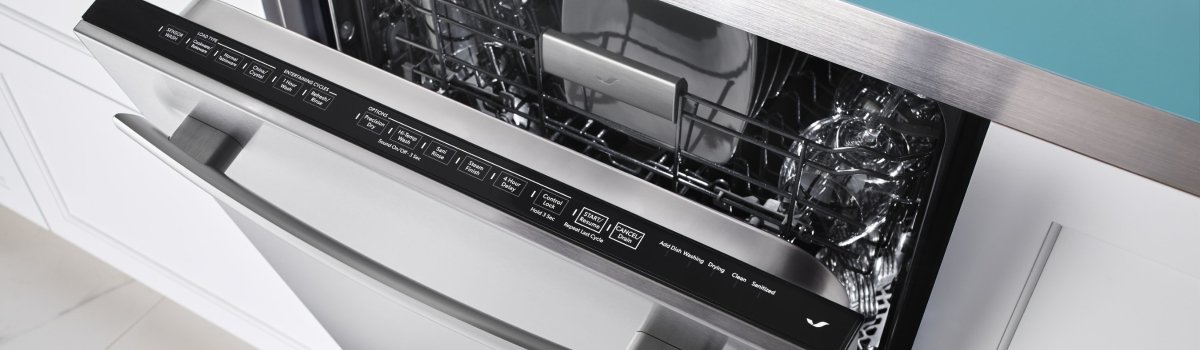
When a Jenn-Air dishwasher flashes Error Code F8, it’s flagging a water turbidity fault. In plain English, the sensor that “judges” how clear (clean) the water is isn’t reading correctly. Because modern cycles adjust time and heat based on water clarity, a bad turbidity reading can waste energy, extend cycles, and still leave dishes less than sparkling.
What F8 Looks Like in Real Life
You may notice one or more of these symptoms before or alongside the code: longer-than-usual cycles, a wash that never seems to “finish,” cloudy glassware, or the machine stopping and beeping mid-run. Sometimes the code appears only on certain loads—greasy pots or heavily soiled plates can confuse a sensor that’s already on the edge.
The Fault, in Simple Terms
Inside the circulation path is a turbidity sensor (often an optical device). As water flows past, the sensor shines and “sees” how much light bounces back. Clear water = clean load; cloudy water = more washing needed. F8 means the control isn’t getting believable clarity data—either because the sensor is dirty or failing, the water is so contaminated the readings look out of range, or there’s an electrical/connection issue.
Why It Happens
Think of three buckets of causes:
- Contamination & buildup. Grease film, food fines, or detergent residue coats the sensor window and “tints” every reading.
- Water quality & chemistry. Very hard water, the wrong detergent type, or no rinse aid keeps soils suspended and repeatedly trips the logic.
- Wiring or sensor failure. A loose connector, pinched harness, or an aging optical sensor produces nonsense data even with clean water.
Quick, Safe First Steps (No Tools)
Start with the simplest stuff and see if F8 clears:
- Power reset. Turn the breaker off for 5 minutes, then restore power. This clears transient faults and resets the control logic.
- Run a hot, empty cycle with cleaner. Use a dishwasher cleaner or a cup of white vinegar on the top rack (no dishes, no detergent). This clears grease film from the wash path and sensor window.
- Check rinse aid and detergent. Fill the rinse-aid dispenser and switch to a high-quality automatic dishwasher detergent (no hand soap, no multipurpose cleaners).
- Load smarter for one run. Avoid nesting bowls and blocking spray arms. Give the machine an easy, well-spaced test load to see if F8 stays gone.
If the code returns right away—or after a couple of cycles—move to light DIY inspection.
DIY Inspection You Can Handle
Keep it simple and don’t force anything. Always switch power off at the breaker before removing panels.
- Spray arms & filters: Pull the bottom rack, remove the lower spray arm and the filter assembly. Rinse the fine screen thoroughly; flush food sludge from the sump area. A clogged filter recirculates dirty water past the sensor.
- Sensor window: On many designs the turbidity sensor looks like a small round “window” along the side of the sump path. If accessible, wipe its lens gently with a soft, damp cloth—no abrasives.
- Harness check (visual): If you can see the small two-wire or multi-pin connector going to the sensor, confirm it’s seated fully with no corrosion or moisture.
Restore power and run a Normal cycle with rinse aid enabled. If F8 stays away through a few loads, you’re likely in the clear.
When to Call a Pro
If F8 returns after cleaning and a reset, you likely have a failed turbidity sensor or a wiring/control issue. A technician will:
- Read diagnostic history and live sensor values.
- Meter the sensor circuit and check harness continuity under load.
- Inspect the control board for oxidation or moisture.
- Replace the sensor (and seal) if it’s out of spec, and verify calibration with a test cycle.
Practical Fixes You Can Do (Without Overdoing It)
- Switch to fresh, enzyme-based detergent and keep rinse aid topped up.
- Remove and thoroughly rinse the filter every 1–2 weeks (more often for heavy use).
- Run a monthly cleaner cycle to keep the wash path and sensor clear.
- If you use pods, place them in the main dispenser (not tossed loose), and avoid “short” cycles for heavy soil.
Prevention: Keep F8 from Coming Back
You don’t need a lab—just consistent habits:
- Load for water flow. Face the dirtiest surfaces toward the spray, avoid stacking bowls, and keep tall items from blocking the detergent door or upper spray arm.
- Mind water temperature. Hotter incoming water (target ~120°F / 49°C at the sink) helps dissolve soils that would otherwise cloud the sensor.
- Stay ahead of hardness. If you have hard water, consider a softener or use detergents labeled for hard water, plus rinse aid. Scale haze can “blind” the optical window.
- Fix slow drains. A partially blocked drain hose or air gap keeps murky water in the system longer, confusing turbidity readings.
- Check after big, greasy loads. When you’ve washed lots of pans, run a short hot rinse or cleaner cycle to clear residue.
Quick Decision Guide
- F8 once, light soil: Reset power → run cleaner cycle → recheck with a simple load.
- F8 repeats after cleaning: Clean filter & sensor window → confirm rinse aid/detergent → test again.
- F8 persists, or wiring looks suspect: Book service for sensor/harness testing and control evaluation.
Want this tuned to your exact model number so sensor location and part references match perfectly? Send the full model/serial and I’ll tailor a version with the right callouts and steps for your unit.